How to Use the Profit Margin Calculator
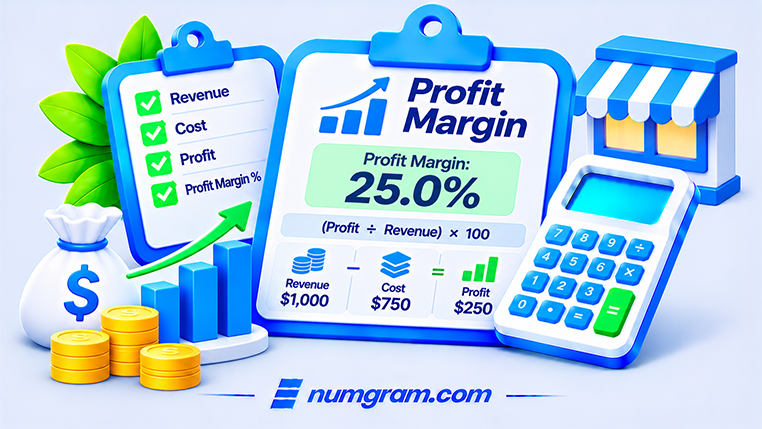
Use this profit margin calculator to find how much profit remains after product or service costs and what percentage of revenue that profit represents. Enter your selling price and cost to calculate gross profit, profit margin, and markup. You can also enter a target profit margin to estimate the selling price needed to reach it when your cost is known.
Profit margin is useful when pricing products, reviewing service rates, comparing business performance, and checking whether a discount leaves enough room to cover expenses. The result depends on the cost definition you enter. For a product-level gross margin, include the direct cost of producing or purchasing the item. For a broader operating or net margin, include the relevant operating expenses, interest, and taxes in the appropriate calculation outside this simple tool.
Information to Enter
Selling price or revenue is the amount charged before subtracting the cost entered below. Use a per-unit selling price for one product, or total revenue with matching total costs for a whole period.
Cost is the amount associated with the product or service. For a basic gross profit calculation, this may be purchase cost, materials, or direct production cost. Make sure cost and selling price cover the same quantity, period, and currency.
Target profit margin is used for the reverse calculation. Enter the desired margin as a percentage of selling price. A 40% target margin means profit should equal 40% of the final selling price.
Profit Margin Formulas
- Gross profit = selling price − cost
- Profit margin = (gross profit ÷ selling price) × 100
- Markup = (gross profit ÷ cost) × 100
- Selling price for target margin = cost ÷ (1 − target margin ÷ 100)
Profit margin and markup are not interchangeable. Margin measures profit as a share of selling price. Markup measures profit as a share of cost. A product that costs $60 and sells for $100 earns $40 profit. Its margin is 40%, while its markup is 66.67%.
The target-margin formula is valid when the target margin is greater than 0% and less than 100%. A target of 100% or more is not meaningful for a positive cost under this formula. If selling price is zero, margin cannot be calculated; if cost is zero, markup cannot be calculated.
Worked Example
Suppose a retailer buys an item for $60 and sells it for $100. Gross profit is $100 − $60 = $40. Profit margin is $40 ÷ $100 × 100 = 40%. Markup is $40 ÷ $60 × 100 = 66.67%.
| Measure | Calculation | Result |
|---|---|---|
| Selling price | Given | $100.00 |
| Cost | Given | $60.00 |
| Gross profit | $100 − $60 | $40.00 |
| Profit margin | $40 ÷ $100 × 100 | 40.00% |
| Markup | $40 ÷ $60 × 100 | 66.67% |
If the same item costs $60 and the business wants a 40% margin, required selling price is $60 ÷ (1 − 0.40) = $100.
Why Margin and Markup Matter
Margin shows how much of each sales dollar remains after subtracting the selected cost. Markup helps a business add an amount to cost when setting a price. Confusing the two can lead to prices that are lower than intended. If a business adds a 40% markup to a $60 cost, the selling price is $84 and the margin is only 28.57%, not 40%.
For consistent reporting, define which costs are included. Gross margin generally compares revenue with cost of goods sold or direct costs. Operating margin also accounts for operating expenses. Net profit margin includes additional items such as interest and taxes. This calculator’s margin is based only on the cost entered, so the label should match the cost scope you use.
Using the Calculator for Pricing
Start with a reliable unit cost, including direct materials, product purchase cost, or direct labor as appropriate. Decide what margin you need and use the target-price calculation as a starting point. Then consider shipping, packaging, transaction fees, returns, discounts, overhead, and competitor pricing. Some costs may need to be included in the cost figure to avoid understating the price required.
For services, use a consistent period. If revenue is monthly, compare it with costs from the same month. If pricing an hourly service, include the cost basis relevant to the service hour and avoid mixing a per-hour cost with a full-project price.
What Happens When Costs or Discounts Change?
If selling price stays the same while cost rises, profit and margin fall. If cost stays the same and selling price rises, profit and margin usually increase. A discount reduces selling price; because cost may not fall with it, margin can shrink quickly. Before offering a discount, calculate profit using the discounted price rather than assuming the original margin remains unchanged.
Volume also matters. A lower margin may still produce more total profit if sales volume rises enough, but that depends on capacity, variable costs, fixed expenses, and customer demand. Margin alone does not tell the full business story.
Assumptions and Limitations
- The calculator uses the cost entered and does not determine which accounting costs belong in it.
- It calculates a simple gross-profit-style margin, not a complete operating or net margin unless the entered cost includes all relevant expenses.
- It does not account for sales tax collected for a government, income taxes, financing costs, returns, inventory write-offs, or discounts unless reflected in the figures.
- Selling price and cost must use the same currency and quantity basis.
- When cost is zero, markup is undefined. When selling price is zero, margin is undefined.
- The target selling price calculation requires a target margin between 0% and 100%.
- Results are estimates for planning and education, not accounting, tax, or financial advice.
Common Mistakes to Avoid
Do not call markup a margin. Do not compare revenue from one period with costs from another. Avoid leaving out direct costs such as packaging, shipping paid by the business, or transaction fees if those costs are part of the margin you want to measure. Also avoid assuming a 40% margin means adding 40% to cost; the two calculations produce different prices.
For business reporting, use the same cost definitions each time and compare equivalent products, services, and periods. If you need an official financial statement margin, use the figures and classifications from your accounting records.
Frequently Asked Questions
What is profit margin?
Profit margin is profit expressed as a percentage of selling price or revenue. It shows how much of each sales dollar remains after subtracting the costs included in the calculation.
How do I calculate a 30% profit margin?
Divide cost by 0.70 to find the selling price needed for a 30% margin. For example, a $70 cost requires a $100 selling price because the $30 profit is 30% of $100.
Is profit margin the same as markup?
No. Margin divides profit by selling price, while markup divides profit by cost. The same transaction therefore has different margin and markup percentages.
Can profit margin be negative?
Yes. If selling price is lower than cost, the result is a loss and the margin is negative. This can happen during clearance sales or when costs rise unexpectedly.
What is a good profit margin?
There is no single good margin for every business. Typical margins vary widely by industry, business model, product mix, operating costs, and competition. Compare with relevant peers and your own historical results.
Does this calculator calculate net profit margin?
Not automatically. It calculates profit based on the cost you enter. To estimate a broader margin, make sure the cost field includes all expenses relevant to the measure and use the appropriate accounting definitions.
Why is my markup higher than my margin?
Markup uses cost as its denominator, while margin uses the higher selling price when the transaction is profitable. That makes markup percentage larger than margin percentage for the same positive profit.
Can I use total revenue and total costs?
Yes. Use figures from the same period and business scope. The resulting percentage represents the margin for that combined set of sales and costs.