How to Use the Markup Calculator
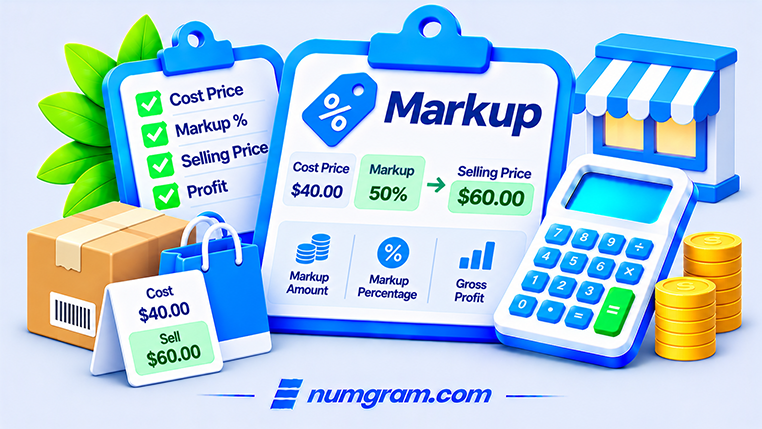
Use this markup calculator to work out the amount added to a product or service cost, the resulting selling price, and the profit margin that selling price produces. Enter your cost and markup percentage to calculate a suggested selling price. You can also enter a selling price and cost to see the markup amount, markup percentage, and margin. The calculator is useful for retail pricing, small businesses, freelancers, and anyone who needs to understand how a cost-based price is built.
Markup is calculated as a percentage of cost. It is different from profit margin, which expresses profit as a percentage of the selling price. Keeping these definitions separate helps prevent pricing errors when setting prices, reviewing discounts, or comparing supplier costs.
Information to Enter
Cost is the amount you pay or incur to provide one unit of a product or service. Depending on your business, it may include purchase cost, materials, direct labor, packaging, shipping into inventory, or other direct costs. Use a consistent cost definition for the comparison you are making.
Markup percentage is the percentage of cost you want to add. For example, a 50% markup on a $60 cost adds $30, producing a $90 selling price before any applicable sales tax.
Selling price is the amount charged to the customer before subtracting the cost. When using the reverse calculation, enter a selling price and cost that refer to the same unit, currency, and time period.
Markup Formulas
- Markup amount = selling price − cost
- Markup percentage = (markup amount ÷ cost) × 100
- Selling price from cost and markup = cost × (1 + markup percentage ÷ 100)
- Profit margin = (markup amount ÷ selling price) × 100
When calculating a price from a markup target, the calculator multiplies cost by one plus the markup rate expressed as a decimal. A 50% markup is entered as 50, which is converted to 0.50 in the formula.
Worked Example
Suppose a product costs $60 and you want to apply a 50% markup. The markup amount is $60 × 0.50 = $30. Add the markup to cost to get a selling price of $90. The profit margin is $30 ÷ $90 × 100 = 33.33%.
| Measure | Calculation | Result |
|---|---|---|
| Cost | Given | $60.00 |
| Markup percentage | Given | 50.00% |
| Markup amount | $60 × 50% | $30.00 |
| Selling price | $60 + $30 | $90.00 |
| Profit margin | $30 ÷ $90 × 100 | 33.33% |
Markup Versus Profit Margin
Markup and margin both describe the relationship between cost, selling price, and profit, but they use different denominators. Markup divides profit by cost. Margin divides profit by selling price. For the same sale, markup is usually the larger percentage when there is a positive profit.
For example, a $60 cost and $90 selling price produce $30 of profit. The markup is 50% because $30 is half of $60. The margin is 33.33% because $30 is one-third of $90. A 50% markup therefore does not mean a 50% profit margin.
If you need a particular margin rather than a markup, use the formula: selling price = cost ÷ (1 − target margin ÷ 100). For a $60 cost and a 40% target margin, the price is $60 ÷ 0.60 = $100. That price represents a 66.67% markup.
Choosing a Markup for Your Business
There is no universal markup that works for every product or service. Costs, competition, customer expectations, sales volume, inventory risk, and operating expenses differ by business. A low markup may be appropriate for a high-volume product with fast turnover, while a specialist product or service may require a higher markup to support expertise, support, and lower sales volume.
Before setting a markup, determine which costs are included in your unit cost. If rent, software, insurance, marketing, payment processing, returns, and other overhead are not included, the resulting price may not cover the full cost of running the business. You may need to allocate overhead to products or services, or use a separate pricing model that accounts for those expenses.
How Discounts Affect Markup and Profit
A discount reduces the selling price while the original cost may remain unchanged. This reduces the markup amount and profit margin. Before offering a discount, calculate the revised selling price and compare it with cost. If the discounted price falls below cost, the sale produces a loss before other expenses are considered.
Promotions can still make business sense when they help clear inventory, attract customers, or increase sales of related products. However, evaluate the total economics rather than relying only on the original markup percentage.
Using Markup for Services
Service businesses can use markup as one component of pricing, but labor cost should be defined carefully. An employee’s wage alone may not represent the full cost of a billable hour. Payroll taxes, benefits, equipment, training, management, downtime, and nonbillable hours may also matter. Freelancers should distinguish their desired personal income from business expenses and unpaid administrative time.
For project pricing, estimate the direct cost of delivery and consider the risk of revisions, scope changes, and delays. A simple markup calculation is a useful starting point, but it is not a substitute for a complete service-pricing model.
Assumptions and Limitations
- The calculator uses the cost and selling price supplied by the user; it does not determine the correct accounting cost basis.
- It assumes cost and selling price use the same currency and refer to the same unit or period.
- It does not automatically include overhead, income taxes, sales taxes, returns, discounts, or payment fees unless those amounts are reflected in the inputs.
- Markup percentage cannot be calculated when cost is zero.
- Profit margin cannot be calculated when selling price is zero.
- The tool calculates simple cost-based markup, not a complete business profit forecast.
- Results are planning estimates, not accounting, tax, or financial advice.
Common Markup Mistakes to Avoid
Do not confuse a markup rate with a margin target. Do not apply a percentage to the selling price when the intended formula applies it to cost. Avoid using a cost that excludes important direct expenses, and do not compare a unit cost with a selling price for a different quantity. Review prices when supplier costs change, because an unchanged selling price will produce a lower markup if cost rises.
Document the cost components and markup policy used by your business. Consistent definitions make it easier to compare products, evaluate promotions, and update prices accurately.
Frequently Asked Questions
What is markup?
Markup is the amount added to cost to establish a selling price. Markup percentage expresses that amount as a percentage of cost.
How do I calculate a 50% markup?
Multiply cost by 1.50. For example, a $60 cost with a 50% markup gives a $90 selling price and $30 markup amount.
Is 50% markup the same as 50% profit margin?
No. A 50% markup produces a 33.33% margin when applied to a positive cost. A 50% margin requires a 100% markup.
Can markup be negative?
Yes. If selling price is below cost, markup is negative and the transaction has a loss before other expenses.
What is a good markup percentage?
It depends on the industry, product, costs, sales volume, customer demand, and competition. Compare your prices with relevant alternatives and check whether the markup covers the full cost structure.
Should overhead be included in cost?
For a price intended to cover the full business cost, overhead should be accounted for somewhere in the pricing model. It can be allocated to unit cost or considered through a broader financial model.
Does markup include sales tax?
Typically, markup is calculated before sales tax charged to the customer. Sales tax collected for a government is generally not business revenue. Follow the accounting and tax rules applicable to your location.
When should I update my markup?
Review it when supplier prices, labor costs, overhead, market conditions, or business goals change. Regular reviews help prevent cost increases from quietly reducing profitability.